
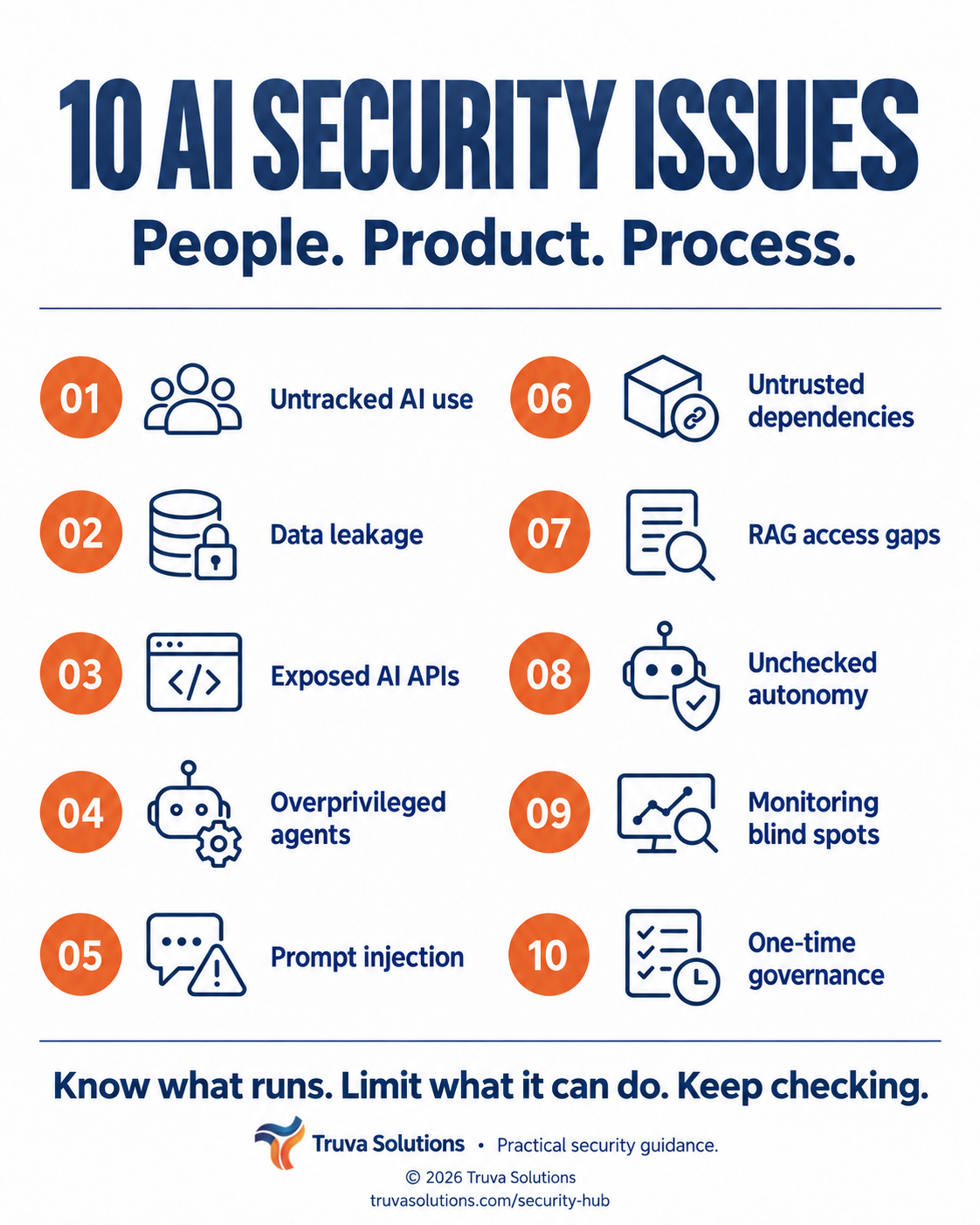
Start with what AI can access.
A chatbot answering public questions and an agent updating customer records have different risk profiles. Look at the data, identities, connections, and decisions around each use case before choosing controls.
This is Truva’s practical selection for teams using generative AI and agents—not a statistical ranking or a reproduction of the OWASP Top 10. The scenarios below are illustrative, not client incidents. Prioritize according to your own exposure and business impact.
VISIBILITY
AI nobody owns
A useful experiment can become a business dependency before anyone assigns an owner. Without an inventory, your team cannot reliably review the data, vendors, and permissions involved.
A team uses a personal AI account to summarize internal documents. Procurement and security have no record of it.
Start here
- Record the owner, purpose, provider, data types, and connected systems for each AI use case.
- Give employees an approved option and a simple route to request new tools.
Evidence to keepAn AI inventory with a named owner for every business use case.
Reference: NIST AI Risk Management Framework ↗DATA
Sensitive data crossing the wrong boundary
Sensitive information can travel through prompts, retrieved documents, outputs, and logs. A private deployment still needs access controls; a provider’s training policy alone does not settle every data-handling question.
A support assistant includes another customer’s account details in an otherwise helpful answer.
Start here
- Minimize and redact sensitive inputs; keep credentials out of model context.
- Review retention, training use, logging, and deletion settings for each provider and integration.
Evidence to keepA data-flow map showing what leaves each system and who can retrieve it.
Reference: OWASP: Sensitive Information Disclosure ↗APPLICATIONS
AI endpoints with weak access controls
An AI feature is still an application. Missing authentication, weak object-level authorization, exposed debugging, and unrestricted requests can turn it into a path to private records or unexpected spend.
A logged-in user changes a document identifier and receives a summary of another tenant’s file.
Start here
- Enforce user, tenant, and object authorization in application code on every request.
- Disable unnecessary endpoints and set rate, token, and spend limits.
Evidence to keepNegative tests proving one tenant cannot access another tenant’s data.
Reference: OWASP API Security Top 10 (2023) ↗IDENTITY
Agents with more access than they need
The permissions behind an agent determine how far a mistake can spread. A read-only research task rarely needs write access across the entire workspace.
An assistant that finds invoices also has permission to change supplier payment details.
Start here
- Use a dedicated identity with narrowly scoped tools and credentials.
- Separate read and write capabilities, and recheck authorization at tool execution.
Evidence to keepA tool-permission list that ties each capability to a specific business need.
Reference: OWASP: Excessive Agency ↗INPUTS
Untrusted content giving the AI instructions
A webpage, email, or retrieved file can contain instructions designed to redirect an AI system. Retrieval and a stronger system prompt do not eliminate this risk. Treat external content as data, not permission to act.
An assistant reads a document that tells it to send internal information to an external address.
Start here
- Test adversarial content at every input boundary, including retrieved documents.
- Constrain tools and destinations; require approval before sensitive actions.
Evidence to keepTest results showing that malicious document instructions cannot authorize tool actions.
Reference: OWASP: Prompt Injection ↗SUPPLY CHAIN
Dependencies you have not verified
AI depends on more than a model name. Packages, model files, adapters, datasets, and external tools can introduce compromised code or unreviewed behavior. Popularity is not a security review.
A team pulls a model helper from an unverified repository and runs its setup code in an environment with production credentials.
Start here
- Use approved sources, record versions and provenance, and verify artifact integrity where supported.
- Isolate evaluation environments and review dependencies before granting production access.
Evidence to keepA versioned dependency inventory with a review and update owner.
Reference: OWASP: Supply Chain ↗KNOWLEDGE
Retrieval that ignores document permissions
Retrieval-augmented generation (RAG) adds company knowledge to a model’s context. If the retrieval layer ignores permissions, a helpful answer can expose information its user could never open directly.
An employee asks about compensation and the assistant retrieves restricted HR documents from a shared index.
Start here
- Apply user and tenant permissions before retrieved content enters model context.
- Test cross-role access and how document permission changes propagate to the index.
Evidence to keepRetrieval tests using users with different roles and deliberately restricted documents.
Reference: OWASP: Vector and Embedding Weaknesses ↗ACTIONS
Actions without a meaningful approval step
Even a correctly scoped agent can make a harmful decision within its allowed permissions. Choosing when it may act is a separate control from choosing what it can access.
An agent sends a customer-facing commitment before a person has reviewed the recipient and exact wording.
Start here
- Require review of the actual action and payload for consequential sends, changes, and transactions.
- Bound execution with step limits, stop controls, and recovery procedures.
Evidence to keepA tested approval gate that cannot be satisfied by the model’s own output.
Reference: OWASP: Excessive Agency ↗OPERATIONS
Activity you cannot reconstruct
A successful HTTP response says little about whether an AI workflow behaved safely. Teams need enough context to investigate which model, identity, tools, and approvals were involved—without creating a new sensitive-data repository.
A customer reports an unauthorized change, but the team cannot connect it to an agent run or tool call.
Start here
- Trace identities, model versions, retrieval references, tool calls, and approval events.
- Redact sensitive content, restrict log access, and test alerts for unexpected actions.
Evidence to keepA sample investigation that reconstructs a run from request to final action.
Reference: NIST Generative AI Profile (AI 600-1) ↗GOVERNANCE
Reviews that stop at launch
Changing a model, connector, prompt, or data source can change the risk of an approved system. Review needs an owner and clear triggers, not just a document signed before launch.
A previously read-only assistant gains an email-sending tool without a new risk review.
Start here
- Define which changes require reassessment and who can approve them.
- Keep evaluation results, exceptions, and remediation decisions with the release record.
Evidence to keepA change record connecting new capabilities to updated tests and accountable approval.
Reference: NIST Generative AI Profile (AI 600-1) ↗TURN THE LIST INTO ACTION
Your first week: one workflow, end to end.
You do not need to review every system at once. Start with a workflow that handles sensitive data or can change something important.
- Map it. Identify the owner, data sources, model, identity, and connected tools.
- Challenge it. Test unauthorized access, malicious inputs, and actions that should require approval.
- Fix and prove it. Assign the highest-impact gaps, retest the controls, and keep the evidence.
These controls reduce risk; they do not make a model immune to manipulation. Keep reassessing as capabilities change.
Sources & context
This article was inspired by Brahma Gupta’s discussion of enterprise AI security risks. The examples and action plan are original Truva editorial guidance, informed by the primary references linked throughout.
- NIST AI Risk Management Framework ↗
- OWASP: Sensitive Information Disclosure ↗
- OWASP API Security Top 10 (2023) ↗
- OWASP: Excessive Agency ↗
- OWASP: Prompt Injection ↗
- OWASP: Supply Chain ↗
- OWASP: Vector and Embedding Weaknesses ↗
- NIST Generative AI Profile (AI 600-1) ↗
The OWASP LLM references use the 2025 edition; API references use the 2023 edition. Framework dates identify the sources, not a new 2026 OWASP ranking. NIST’s framework is voluntary guidance, not a certification.
Join the discussion
Page viewsWhat are you seeing in your AI or cloud environment? Share a question or a practical lesson.
Comments are reviewed before publication. Your display name and comment will be public if approved. Please leave out confidential or personal information.
Enable JavaScript to read and submit comments.