
Table of contents
Find every PHP web server, install the security update, and restart the workers that handle web requests. A website firewall can help while you patch. It does not repair PHP.
CVSS describes severity, not the chance of an attack. Release and severity sources: PHP maintainers and NHS England. References
1. The problem, simply
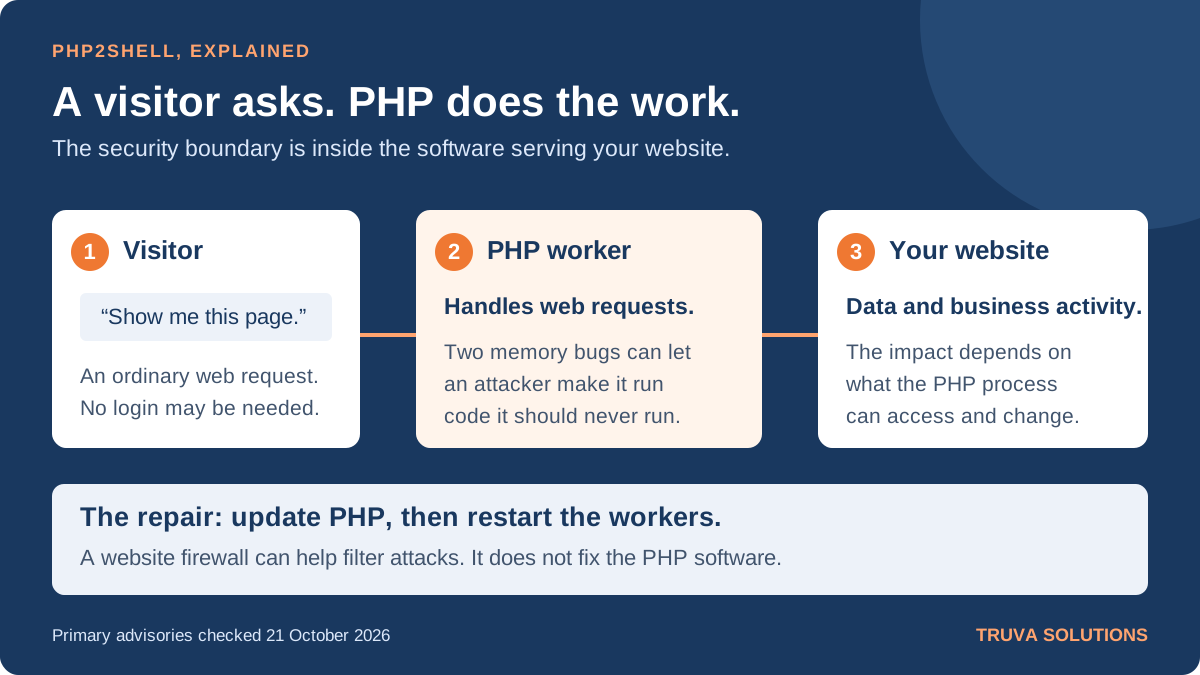
Imagine a little shop. A customer asks for a sandwich. A helper reads the order, makes the sandwich, and clears the counter for the next customer.
For many websites, PHP is that helper. It reads requests, runs the website’s code, and helps return a page.
These two bugs affect how the helper manages its work and clears up after something goes wrong. A carefully made request can leave PHP using unfinished information or information it should have thrown away.
The dangerous result: someone outside the website may be able to make the server run their code. Security teams call this remote code execution, or RCE. It can put the data and permissions available to that PHP process at risk.
Give the helper a corrected set of working instructions. In a real system, that means updating PHP itself. Changing the shop’s sign, website theme, or login password does not fix this flaw.
2. Who is affected?
PHP’s maintainers warn about installations serving web requests, including PHP-FPM, Apache with mod_php, php-cgi, FrankenPHP, and LiteSpeed. They identify mod_php as the highest-risk setup, with a demonstrated attack that can trigger before the website’s own code runs.
Check websites built with WordPress, Drupal, Joomla, Laravel, and other PHP software. Their presence is a reason to check the underlying PHP runtime, not proof that a particular website has been hacked.
| Vulnerability | What goes wrong | Plain meaning |
|---|---|---|
| CVE-2026-109618 Out-of-memory corruption | PHP may stop before request data is fully prepared, then use that unfinished data during cleanup. | The helper clears a half-finished order as though it were ready. |
| CVE-2026-109619 Stale global state | PHP may keep a reference to request memory after that memory has been released. | The helper follows an old note that should have been discarded. |
Attack activity is already being reported. Cloudflare says it observed traffic targeting its customers. AWS reports an attempt against its MadPot sensors on 17 October, before public disclosure. That observation does not establish that the attempt succeeded against a real customer system.
3. Which update do you need?
Use the fixed release for your supported PHP branch, or a newer supported security release. If your Linux or hosting vendor backports fixes, check its advisory and patched package build instead of judging safety from the upstream version number alone.
| Your PHP branch | First fixed release | What to do |
|---|---|---|
| PHP 8.5 | 8.5.12 | Update to this release or newer. |
| PHP 8.4 | 8.4.27 | Update to this release or newer. |
| PHP 8.3 | 8.3.36 | Update to this release or newer. |
| PHP 8.2 | 8.2.35 | Update now and plan the next supported branch. |
| PHP 8.1 and older | No routine upstream support | Move to a supported branch, or obtain a confirmed fix from your support vendor. |
Do not stop at “WordPress is up to date.” Your CMS and PHP have separate updates. Ask your host which PHP build is actually running for the website.
4. What to do now
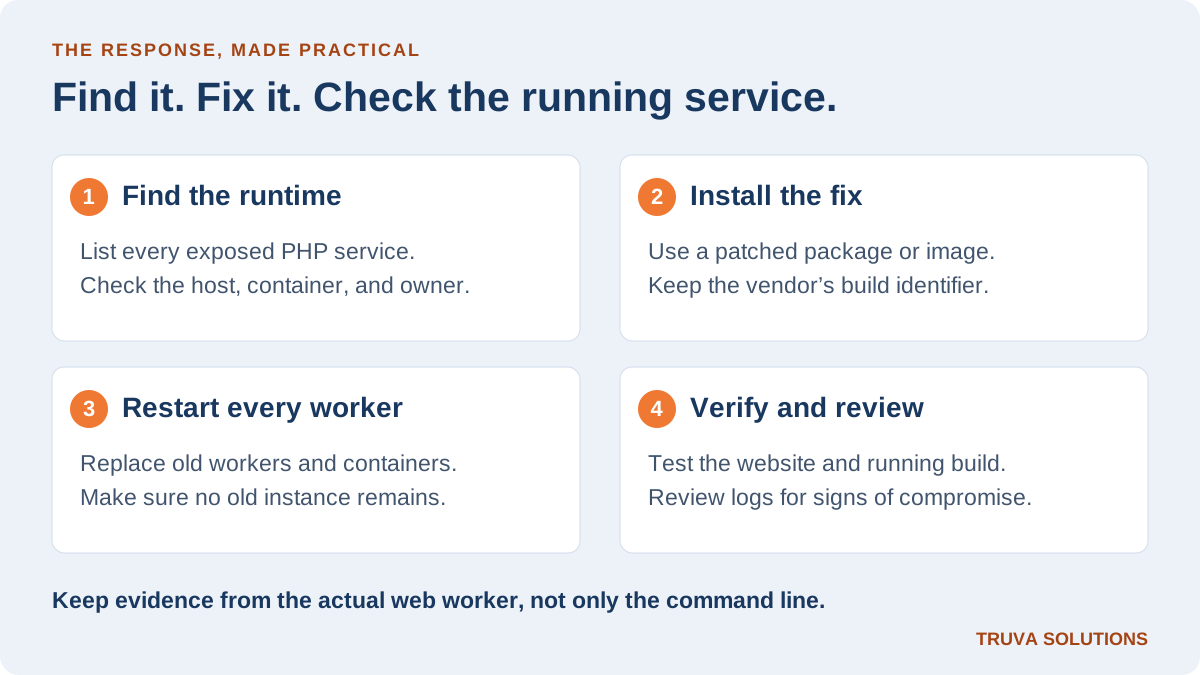
Give one person responsibility for the response. Include production websites, admin panels, old subdomains, containers, and spare servers that still receive traffic.
| Step | Action | Evidence to keep |
|---|---|---|
| 1. Find | The application owner and host identify the PHP runtime, package source, and every exposed instance. | A list of affected services with a named owner. |
| 2. Update | The platform team installs a verified patched package or rebuilds the container image. | The vendor advisory and installed package or image identifier. |
| 3. Restart | Replace or restart every affected PHP worker. Use a controlled rollout for busy services. | Confirmation that old workers and old containers are gone. |
| 4. Verify | Check the runtime serving the website, test key user journeys, and review security signals. | Runtime build, test results, and the reviewed log window. |
php -v can help identify the command-line version. It does not prove the website uses that same PHP build. Confirm the web worker or container too. Do not leave a public phpinfo() page behind as evidence.
If a hosting company manages PHP, ask: “Have you patched both CVEs, restarted the affected workers, and checked every PHP site on this account?” Request the package build and completion time.
5. If you cannot patch yet
Reduce exposure while arranging the update. Restrict access to the affected service, and consider taking it offline if you cannot make the risk acceptable. Test restrictions against the real application so a rushed change does not break essential functions.
A web application firewall, or WAF, is a filter in front of the website. Cloudflare reports default protections for customers using its WAF, including its Free plan. Check that traffic actually passes through the protection and cannot reach the origin directly. Another provider may have different coverage.
PHP’s advisory also lists temporary configuration changes for particular attack paths. These include upload-related settings and worker restarts. There is no complete configuration-only fix. Have the server owner follow the current maintainer advisory for the exact runtime. Avoid copying isolated settings from social media.
Do not mark the incident resolved just because the WAF blocked some requests.
6. Check for a break-in
Patching closes a weakness. It does not remove an attacker who may already be inside.
AWS recommends reviewing web logs, unexpected process execution, and file changes. Its earliest reported sensor activity was on 17 October, so include that date in your review when retained logs allow. Preserve relevant logs and evidence before rebuilding a suspicious system.
- Look for unexpected files, changed application code, and unusual scheduled jobs.
- Review processes started by the web worker and unexplained outbound connections.
- If compromise is suspected, isolate the system and involve incident responders. Identify and rotate exposed secrets from a clean environment.
A quiet dashboard is not proof of safety. Record what you checked, what logs were available, and what remains unknown.
7. References
Primary sources used for this article. Release and protection details can change as the response develops.
- PHP: critical security advisory and fixed releases, 21 October 2026
- PHP maintainer advisory: CVE-2026-109618
- PHP maintainer advisory: CVE-2026-109619
- Cloudflare: observed attack traffic and PHP2Shell WAF protection
- AWS: PHP2Shell activity observed in MadPot telemetry
- NHS England: affected versions, severity scores, and remediation
Know what is exposed. Prove what is fixed.
Truva helps teams review application exposure and turn security findings into a clear remediation plan.
Discuss your application security